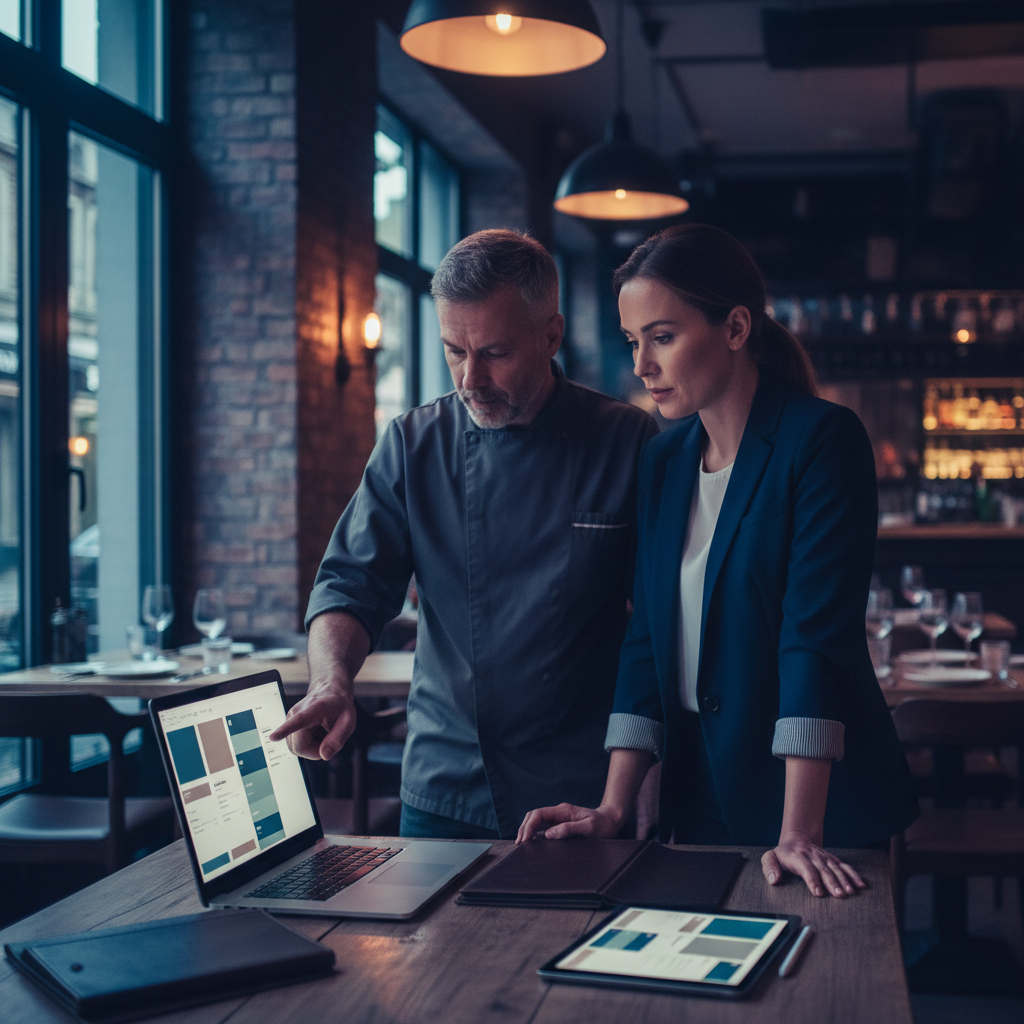
Free Restaurant Menu Maker: Create a Menu in Minutes
A free restaurant menu maker lets you build a professional-quality menu without design skills, expensive software, or hours of work. The best tools combine restaurant-specific templates with intuitive editing and fast export — so you can go from blank page to print-ready PDF in under an hour.
Build your digital or QR menu in minutes
Try our Free AI Menu Builder for RestaurantsThis guide walks through the best free restaurant menu makers available, how to evaluate them, and how to create a menu that looks professional, reflects your brand, and actually drives higher average checks.
What Makes a Good Restaurant Menu Maker
Want a digital menu with QR code for your restaurant? Build your free digital menu — Create a QR menu in minutes — update it anytime, no printing required.
A menu maker needs to solve a specific problem: helping non-designers create materials that look designed. The best tools in this category share several traits:
- Restaurant-specific templates: Templates built for menus handle the unique layout challenges — category organization, item hierarchy, pricing alignment — that general design templates don't address well.
- Editing flexibility: You need to be able to modify every element — fonts, colors, spacing, images — to match your restaurant's identity. Cookie-cutter menus don't reinforce brand.
- Quick iteration: Menus change frequently. The tool should make updates fast, not require a full redesign every time a price changes.
- Multiple output formats: Print-quality PDF, digital display formats, and web-compatible exports serve different use cases.
Top Free Restaurant Menu Maker Tools
Canva (Best Overall)
Canva's free tier is the most complete free restaurant menu maker available. It includes hundreds of restaurant menu templates across every cuisine type and service style — from casual cafe menus to formal dinner menus, wine lists, and brunch menus. The drag-and-drop editor is genuinely easy to use, and the export quality is print-ready.
Key advantages: large template library, strong free tier, easy brand customization, collaborative editing for teams, and direct integration with printing services if you want physical copies delivered.
Adobe Express (Best for Branding Control)
Adobe Express gives you stronger typographic control than Canva, which matters if your restaurant has a distinctive visual identity built around specific fonts and layout styles. The free tier includes restaurant templates and the interface is clean and intuitive, though with a slightly steeper learning curve than Canva.
MustHaveMenus (Best Industry-Specific Tool)
MustHaveMenus is built exclusively for restaurants and food service operators. Every template is designed for real restaurant use cases, and the platform understands concepts like prix fixe layouts, tasting menus, and drink menus that general design tools treat as afterthoughts. The free tier is limited but the premium offering is competitively priced for what it delivers.
Menu Maker AI Tools
AI-powered menu makers represent a newer category that goes beyond templates. These tools can generate dish descriptions based on your ingredients, suggest menu categories and organization, and create layout suggestions from minimal input. For operators who struggle with the writing side of menu creation as much as the design side, AI menu tools offer a significant advantage.
How to Create a Menu in Minutes
Step 1: Prepare your content first
Collect all your menu items with names, descriptions, and prices before opening any design tool. Attempting to design and write content simultaneously slows you down significantly. A simple spreadsheet or document with your full item list takes 20 minutes to prepare and makes the design process much faster.
Step 2: Choose a template that fits your concept
Filter templates by your restaurant type (casual, fine dining, cafe, fast casual) and select one that matches your price point and atmosphere. A misaligned template — overly formal design for a casual spot, or overly casual design for a fine dining concept — creates a mixed signal that confuses customers.
Step 3: Apply your brand elements
Upload your logo, set your brand colors (using hex codes if your brand guide specifies them), and select fonts that match your existing visual identity. Most free tools allow font uploads or provide fonts close enough to standard brand fonts. This step transforms a template into your menu.
Step 4: Input your items with strategic placement
Menu engineering research shows that customers pay most attention to the top-right of a menu and the first and last items in each category. Place your highest-margin dishes in these positions. Avoid organizing items purely by price — this trains customers to order by price rather than by what they actually want.
Step 5: Add photography selectively
If you have high-quality food photography, add it to one or two hero items per category — typically your best-margin or most popular dishes. Poor photography is worse than no photography, so only include photos if the image quality is genuinely good.
Step 6: Export and test
Export as a print-quality PDF and review it on screen at the intended print size. Check that text is legible, prices align correctly, and the overall impression matches your intended atmosphere. Print a test copy before ordering a large print run.
Common Menu Maker Mistakes to Avoid
Too many items: Menus with more than 7 items per category suffer from the "paradox of choice" — customers take longer to decide and often default to safe, lower-margin choices. Edit ruthlessly.
Dollar signs on every price: Research shows that removing dollar signs or using alternative price formats (writing "16" instead of "$16.00") reduces price sensitivity and increases average check. Most menu makers let you format pricing however you choose.
Ignoring mobile readers: If your menu will be accessed via QR code on phones, test the digital version on a small screen. Text that's readable on a printed 8.5x11 menu may be too small on a phone screen.
Infrequent updates: A menu with outdated items or incorrect prices damages customer trust and creates operational friction. Build menu review into your monthly operations routine — most free tools make updates quick enough that there's no excuse for letting menus go stale.
Digital Menus vs Printed Menus
Many restaurants now operate hybrid menu systems: printed menus for tableside use and digital menus accessible via QR code for customers who prefer to browse on their phones. Free menu makers typically produce files suitable for both use cases — the same design exported as PDF for print and as a high-resolution image or web-hosted file for digital access.
Create your menu now — free, no design skills needed
Try our Free AI Menu Builder for RestaurantsFor full digital menu functionality — live updates, online ordering integration, table-specific QR codes — dedicated digital menu platforms provide more purpose-built tools than general design software.
Making Your Menu Work Harder
A well-designed menu is more than a list of what you sell. The best restaurant menus subtly guide customers toward higher-margin items, tell the story of the restaurant's identity and approach, and create anticipation for the dining experience. This work doesn't require expensive design resources — it requires thoughtful application of the tools any free menu maker provides.
Invest the time to do your menu right. It's the document your customers will study for several minutes before ordering, and it has a measurable impact on what they order and how much they spend. A restaurant menu that takes an afternoon to create properly will earn that time back quickly.
What Makes a Restaurant Menu Effective
A well-designed restaurant menu does far more than list what's available. It guides guest decisions, communicates your brand's personality, highlights your most profitable dishes, and sets expectations for the dining experience before the first bite arrives. Poor menu design, on the other hand, overwhelms guests with too many options, buries your best dishes, and trains customers to hunt for the cheapest item on the page.
Understanding a few core principles of menu design can meaningfully increase your average check and guest satisfaction — without changing a single recipe.
Menu Engineering: The Science Behind the Layout
Menu engineering is the practice of strategically positioning and presenting menu items to maximize profitability. The core framework categorizes every item into one of four quadrants based on popularity and margin:
- Stars (high popularity, high margin): These are your best items. Give them prime placement — the upper right of a two-page spread, the top of a category, or a visual callout box. Don't hide them.
- Plowhorses (high popularity, low margin): Guests love these but they don't make you much money. Consider raising the price slightly, reducing the portion, or repositioning them lower on the menu.
- Puzzles (low popularity, high margin): These are worth investing in. Better photography, more compelling descriptions, or placement near popular items can bring these dishes to life.
- Dogs (low popularity, low margin): Consider removing these. Menu bloat hurts the guest experience and ties up prep resources on items that don't earn their keep.
How to Write Menu Descriptions That Sell
The words on your menu work hard — or they don't. A flat description like "Grilled salmon with vegetables" does nothing to build appetite or justify the price point. A well-written description like "Atlantic salmon, grilled over hardwood, served with roasted seasonal vegetables and a lemon-herb butter sauce" is specific, sensory, and earns the price.
Tips for better menu copy:
- Use origin words: "house-made," "locally sourced," "slow-roasted," "wood-fired"
- Invoke senses: describe textures, temperatures, and aromas
- Be specific about preparation: "pan-seared" is more evocative than "cooked"
- Keep it concise: two to three compelling sentences is better than a long paragraph
- Avoid generic words: "delicious," "amazing," and "popular" add nothing
Digital vs. Printed Menus: Which Is Right for Your Restaurant
Printed menus offer a tactile, curated experience — particularly valuable in fine dining. But they're expensive to update, can't be changed in real time, and don't collect any data. Digital menus, whether accessed via QR code, tablet, or online, solve all of those problems. Most restaurants today use a combination: printed menus for a premium feel with QR codes for accessibility, real-time specials, and loyalty integration.
For restaurants using Loop.fans, digital menus provide a natural touchpoint for loyalty enrollment. When guests access your menu digitally, you can prompt them to join your rewards program, earning points for their visit and any content they share about their experience.
Free Menu Tools vs. Paid: What You Actually Get
Many free menu creation tools exist, including Canva, Adobe Express, and dedicated restaurant menu builders. For basic designs, free tools are genuinely useful. Where they fall short:
- Limited customization options beyond templates
- No real-time updating capability for digital menus
- No integration with your POS, ordering system, or loyalty program
- Branding restrictions (watermarks, platform logos)
- No analytics on what guests are viewing
For restaurants serious about using their menu as a business tool, a paid platform with real-time editing, analytics, and integration capabilities pays for itself quickly.
Ready to build your digital menu?
Try our Free AI Menu Builder for RestaurantsFrequently Asked Questions About Restaurant Menus
How many items should a restaurant menu have?
Research consistently shows that menus with fewer, well-described options outperform menus with many choices. The "paradox of choice" applies: too many options leads to decision fatigue and lower satisfaction. Most consultants recommend 7 items or fewer per category as a starting point.
How often should I update my menu?
Seasonal updates (quarterly) keep your menu fresh and allow you to capitalize on ingredient availability and pricing. More frequent micro-updates — removing sold-out items, adding specials — should happen in real time, which is why digital menus are so valuable.
What's the best format for a small restaurant menu?
For small restaurants, a single-page or two-page menu typically works best. It forces discipline in item selection and makes the guest experience easier. A digital version of the same menu gives you flexibility to add specials, rotate items seasonally, and update prices without reprinting.
Implementing Free Restaurant Menu Maker Create Menu In Minutes for Maximum Impact
Successfully adding free restaurant menu maker create menu in minutes requires a strategic approach that aligns with your overall business goals. Start by auditing your current customer journey to identify the best integration points. For restaurants, this might mean placing QR codes prominently on tables or creating a seamless online reservation flow directly from your website. For events and festivals, focus on mobile-first experiences that encourage real-time participation.
Key best practices include ensuring mobile responsiveness, integrating with your existing loyalty or CRM systems, and providing clear calls-to-action. Test different designs and messaging with a small audience before full rollout. Track metrics such as engagement rate, conversion to sign-ups, repeat visits, and customer feedback to measure success.
Real-World Examples and Case Studies
Many successful brands have leveraged similar strategies to boost engagement and retention. Consider how major sports teams use fan engagement platforms to maintain year-round connection through loyalty programs, gamified apps, and personalized offers. Restaurants using AI-powered QR menus have seen significant increases in data collection and repeat business by offering personalized recommendations based on past orders.
Festivals that implemented volunteer reward systems and post-event communities report higher attendee satisfaction and return rates. Tourism operators using destination loyalty programs see improved repeat visitation by rewarding cultural experiences and local business partnerships. These examples demonstrate that thoughtful implementation of loyalty, engagement, and digital tools delivers measurable ROI.
Choosing the Right Tools and Platforms
When selecting tools for free restaurant menu maker create menu in minutes, prioritize platforms that offer easy integration, robust analytics, and scalability. Look for solutions with strong mobile support, customizable templates, and seamless connections to your website or POS system. Free and freemium options can be great starting points for small businesses, while enterprise features like advanced segmentation and automation suit larger operations.
- Integration capabilities: Ensure compatibility with your current tech stack.
- Analytics and insights: Access to dashboards that show real performance data.
- Customer support: Responsive help when you need to troubleshoot or optimize.
- Cost-effectiveness: Balance features with your budget — many tools offer generous free tiers.
Compare options like specialized QR menu generators, website builders with booking widgets, or comprehensive customer engagement platforms to find the best fit.
Future Trends in Customer Engagement and Loyalty
The landscape is evolving rapidly with AI personalization, gamification, UGC integration, and data-driven experiences becoming standard. Expect more emphasis on purpose-driven loyalty that aligns with customer values, seamless omnichannel experiences, and privacy-first data collection. Brands that stay ahead by adopting these trends will build stronger communities and more resilient revenue streams.
Whether you're a restaurant owner looking to modernize your menu and reservations, a festival organizer building year-round fan connection, or a hospitality group implementing coalition loyalty, focusing on genuine value and exceptional experiences will differentiate you in a competitive market.