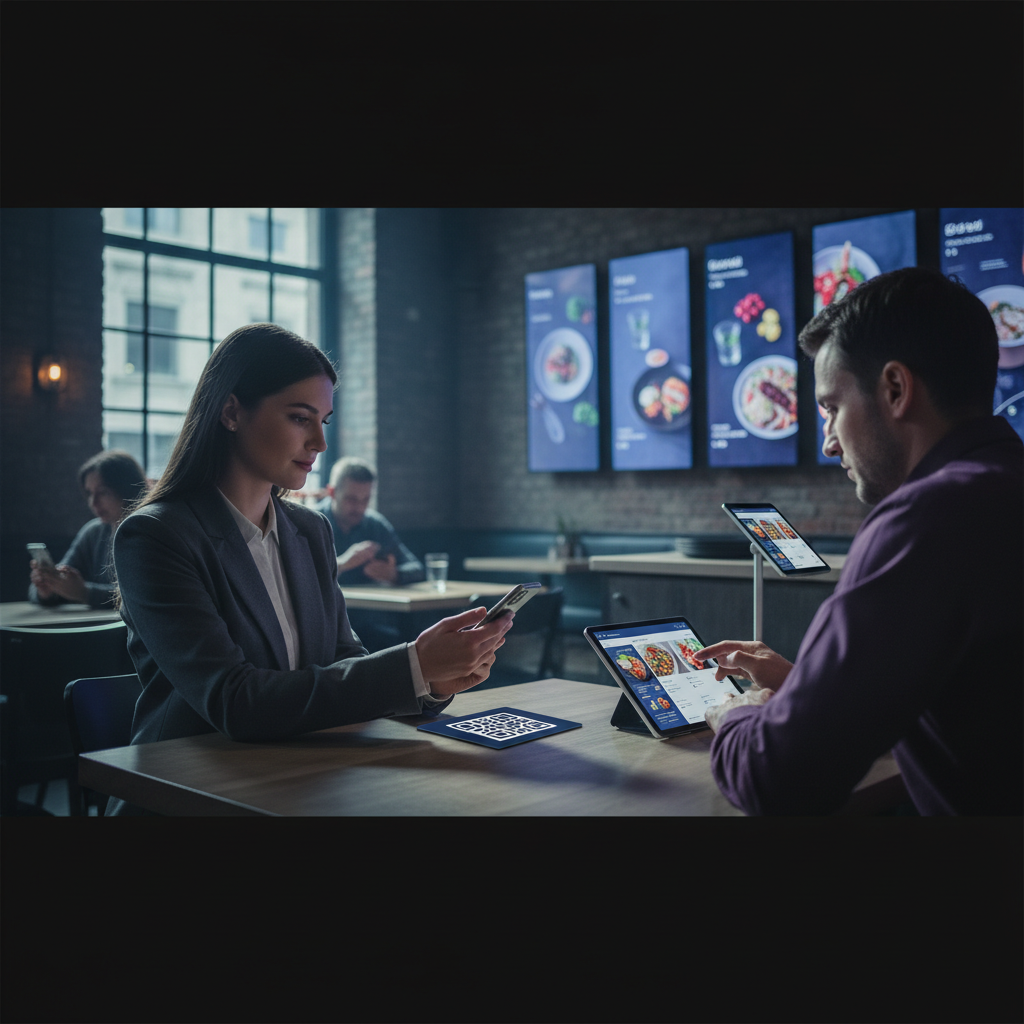
How to Turn Your Restaurant Menu Into a Digital Menu
Transitioning from printed menus to digital menus — or adding a digital layer alongside your printed menus — is one of the more impactful operational improvements available to restaurant operators. Digital menus reduce printing costs, enable instant updates, improve accessibility, and open the door to analytics on customer browsing behavior.
Build your digital or QR menu in minutes
Try our Free AI Menu Builder for RestaurantsThis guide covers the practical steps to convert your existing menu to digital format, the tools available, and what to consider when choosing your digital menu approach.
Types of Digital Restaurant Menus
Want a digital menu with QR code for your restaurant? Build your free digital menu — Create a QR menu in minutes — update it anytime, no printing required.
Digital menus come in several forms, each with different use cases:
- QR code menus: Customers scan a QR code with their phone and view the menu in a browser. No app download required. The QR code links to either a static menu file (PDF) or a live web page.
- Tablet menus: Physical tablets at each table displaying an interactive menu. Higher upfront cost but richer customer experience.
- Digital menu boards: Screen displays behind the counter or above ordering stations. Primarily used in fast casual and QSR contexts.
- Online menus on your website: Your full menu accessible from any device via your website. Essential for customers researching your restaurant before visiting.
- Third-party platforms: Your menu published on Google, Yelp, TripAdvisor, and food delivery platforms. Visibility-focused rather than in-restaurant focused.
The Simplest Approach: PDF + QR Code
If your goal is simply to give in-restaurant customers a digital way to access your menu without installing hardware or building a custom solution, the PDF + QR code approach is the fastest path:
- Export your existing menu design as a high-quality PDF
- Host the PDF online — Google Drive, Dropbox, your website, or a free PDF hosting service
- Generate a QR code that links to the PDF URL using a free QR code generator (QR Code Generator, QRCode Monkey, etc.)
- Print the QR code and place it at tables, on table tents, or at the host stand
This approach costs nothing beyond what you'd already spend on menu design and takes under an hour to set up. The limitation is that it's static — when the menu changes, you need to update the PDF and potentially update the QR code link.
Dynamic Digital Menus
For restaurants that want real-time menu updates — adding daily specials, marking items as sold out, changing prices — a dynamic digital menu platform offers more capability than a static PDF.
Dynamic platforms typically provide: an online editor for menu content, a hosted menu URL (or embeddable web widget), QR code generation linked to your live menu, and sometimes ordering capabilities. When you update the menu in the platform's editor, customers scanning the QR code see the updated menu immediately without any re-printing or re-linking.
Tools for Dynamic Digital Menus
Canva + published web page: Canva allows you to publish a design as a web page. Update the Canva design and the published URL automatically reflects changes. Not specifically built for menus but works for operators already using Canva for menu design.
MenuPro, Bopple, or similar dedicated digital menu platforms: Purpose-built for restaurant digital menus with real-time update capability, QR code management, and sometimes ordering integration.
Your restaurant website: A properly structured menu page on your restaurant's website, updated when content changes, gives you full control and the best SEO visibility for customers searching for your menu online.
Adding Schema Markup to Your Digital Menu
If your menu is published on a web page, adding schema markup dramatically improves how search engines — and AI-powered search results — understand and display your menu content. Schema markup for restaurant menus uses the Restaurant and Menu schema types to identify your restaurant, menu sections, and individual menu items as structured data.
This structured data enables Google to display menu information directly in search results and AI overviews — a significant visibility advantage over restaurants without structured menu markup. Most website builders support schema markup via plugins or code injection.
Digital Menu Best Practices
Optimize for phone screens
Most customers accessing digital menus use phones. Test your digital menu on several phone sizes and ensure text is legible, images load quickly, and navigation is intuitive on a small touchscreen. Menus designed for print often require reformatting for digital display.
Keep the digital menu current
The main advantage of digital menus over print is the ability to update instantly. Take advantage of this — mark sold-out items in real time, add daily specials, and update prices immediately when they change. A digital menu with outdated information is worse than a printed menu because it creates customer expectations that can't be met.
Maintain print and digital versions in sync
For restaurants operating both print and digital menus, establish a process for keeping both in sync. Using an online menu creator as your single source of truth — from which you export both print PDFs and update your digital menu — is more efficient than maintaining separate files.
Make the QR code visible and accessible
QR code placement affects scan rates. Table tents, menus with QR codes printed on the cover, and host stand displays all work well. Ensure QR codes are large enough to scan easily (minimum 1.5x1.5 inches for print) and test them on multiple phone models before deployment.
Create your menu now — free, no design skills needed
Try our Free AI Menu Builder for RestaurantsDigital Menus and Loyalty Integration
Digital menus create natural touchpoints for loyalty program enrollment. A banner at the bottom of a digital menu inviting customers to join your loyalty program — with a QR code linking directly to the enrollment page — reaches customers at the ideal moment: while they're engaged with your restaurant and about to order.
For restaurants using platforms like Loop.fans for loyalty, the digital menu represents one of several digital touchpoints in the customer journey that can be connected to loyalty enrollment, reward redemption, and customer communication.
The Business Case for Going Digital with Your Menu
Every restaurant that switches to a digital menu discovers the same thing: the upfront setup pays for itself quickly. Printing menus is a recurring cost that adds up fast — especially when you change prices seasonally, add new dishes, or remove items that are no longer available. A digital menu eliminates that cost entirely and gives you far more flexibility.
Beyond cost savings, digital menus open doors that paper menus cannot. You can show real-time specials, display food photography, highlight allergen information, and even integrate with your ordering or loyalty system — all from one centralized platform that you control.
How to Make the Most of Your Digital Menu
- Update in real time: Remove sold-out items immediately rather than crossing them out or apologizing tableside. Real-time updates protect the guest experience and reduce staff stress.
- Add professional food photography: You don't need a photographer for every dish. A well-lit smartphone photo against a clean background is enough to increase appetizer and dessert attachment rates.
- Organize strategically: Use menu engineering principles to highlight your highest-margin items. Strategic placement — near the top of categories, in a "featured" section, or with a "chef's recommendation" badge — guides guest decisions.
- Include dietary and allergen flags: Guests increasingly scan menus specifically for dietary information. Clear labels for vegan, gluten-free, nut-free, and other attributes improve trust and reduce server questions.
- Link to your loyalty program: Your digital menu is a touchpoint. Use it to invite guests to join your rewards program, earn points for their visit, or sign up for exclusive offers via Loop.fans.
Digital Menus and Customer Data: The Overlooked Advantage
One of the most valuable but least discussed benefits of a digital menu is the data it generates. When guests interact with your menu digitally — scanning sections, viewing items, clicking through to specials — you gain insight into what they're curious about, what they're comparing, and what they're skipping.
This data is genuinely useful. If your lamb chop gets viewed frequently but rarely ordered, that's a signal: maybe the price is a barrier, maybe the description doesn't sell the dish well, or maybe it needs better photography. If your dessert section gets almost no views, the issue might be placement or timing rather than the desserts themselves.
Combined with a loyalty program like Loop.fans, digital menu data becomes even richer. You can connect menu engagement to actual purchase behavior, repeat visits, and customer lifetime value — giving you a clearer picture of what's working and what isn't.
Connecting Your Digital Menu to Loop.fans Loyalty
Loop.fans enables restaurants to turn digital menu interactions into loyalty moments. Guests who scan your menu can be prompted to join your loyalty program, where they earn points for visits, purchases, and content they share. Over time, this creates a virtuous cycle: engaged guests visit more often, spend more, and bring friends.
The integration is straightforward. A link or QR code within your digital menu takes guests to your Loop.fans loyalty landing page. From there, they can sign up, view their points balance, and see available rewards — all without downloading an app.
Common Questions About Digital Menus
Do I need a QR code to use a digital menu?
QR codes are the most common access method, but you can also share your digital menu via a URL, embed it on your website, or link to it from your social media profiles. Many restaurants use all of these simultaneously.
What if guests prefer a physical menu?
Keep a small supply of printed menus for guests who prefer or need them. A hybrid approach respects all guests while capturing the benefits of going digital for the majority.
How often should I update my digital menu?
At minimum, update your menu whenever prices change, items are removed, or specials change. The best practice is to treat your digital menu as a live document — updating it as frequently as your kitchen changes.
Ready to build your digital menu?
Try our Free AI Menu Builder for RestaurantsGetting the most out of how to turn restaurant menu into digital menu: advanced tips and next steps
Use data to refine continuously
Track which menu items generate the most revenue per square foot of prep space, not just which sell the most units. High-margin, low-effort items deserve prominent placement; low-margin, high-complexity items should be reviewed regularly.
Connect menu strategy to loyalty
Your best-selling items are your loyalty program's best promotional tools. Offering a free version of your most popular dish as a reward drives redemptions, visibility, and word-of-mouth far more effectively than a generic discount.
Test incrementally, not all at once
Menu changes are experiments. Change one section at a time, give it 4–6 weeks, and measure the impact on total covers, spend per head, and reorder rate before making the next change.
Optimize for operational rhythm
The best menus are designed with kitchen flow in mind. Items that share prep components, cooking methods, or timing reduce service friction and improve consistency — especially during peak hours.
Advanced tips and next steps for your restaurant digital menu
Converting your menu to digital format is a meaningful operational upgrade. These advanced practices help you go beyond the basics and turn your digital menu into a revenue-driving tool.
1. Write descriptions that sell, not just describe. "Grilled chicken" is a description. "Free-range chicken, marinated in lemon herb oil and grilled over hardwood — served with roasted fingerling potatoes and house-made chimichurri" is a story that sells. Digital menus remove the cost of reprinting, which means you can invest time in writing compelling descriptions without worrying about the next print run. Better descriptions increase average order value in virtually every test.
2. Add high-quality photography to your 5–8 hero items. You do not need photos of every item. You need great photos of your most popular and most profitable items — the ones you want every guest to seriously consider. A single professional photo session covering your top dishes can pay for itself within a month if it increases attachment rates on high-margin items. Start with those dishes and expand the photo library incrementally.
3. Use your digital menu to highlight dietary attributes and filter options. Vegan, gluten-free, nut-free, and spice-level indicators are increasingly important to diners — and to search engines. Tagging your items with accurate dietary attributes improves the experience for guests with restrictions, reduces errors from miscommunication, and can improve your restaurant's visibility in "gluten-free restaurants near me" type searches. This metadata pays dividends well beyond the dining room.
4. Review your digital menu analytics monthly to identify ordering patterns. Many digital menu platforms track which items are viewed most, which are ordered most, and where in the menu flow diners drop off. This data is remarkably useful for menu engineering — items that get many views but few orders may need better descriptions or pricing adjustments. Items that get many orders from a buried position deserve more prominent placement. Monthly analytics reviews turn your menu into a continuously improving sales tool.
Your digital menu is the first interaction many guests have with your food — before they arrive, when they order, and when they consider coming back. Investing in its quality and using its data to improve continuously is one of the highest-leverage activities in modern restaurant operations.
Ready to get started?
Launch your free digital loyalty card — No app download required for customers. Set up in 10 minutes.