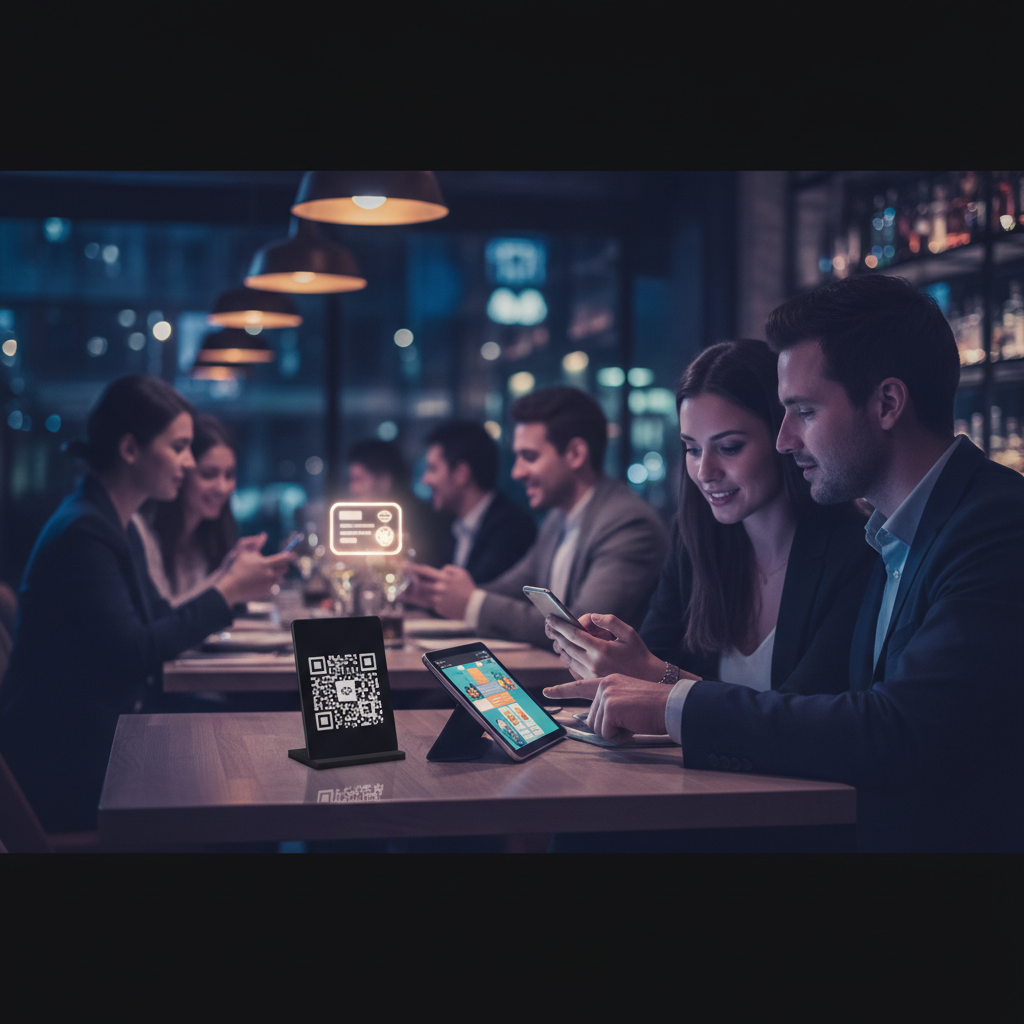
The Complete Guide to Digital and QR Menus for Restaurants
The paper menu had a good run. For over a century, it was the unquestioned centerpiece of the dining table — folded, laminated, leather-bound, or scrawled on a chalkboard. Then 2020 happened. Overnight, handing a guest a laminated card touched by hundreds of previous visitors became a liability. QR codes — long dismissed as a failed gimmick — suddenly appeared on every table in the country.
Build your digital or QR menu in minutes
Try our Free AI Menu Builder for RestaurantsBut here's what most restaurant owners don't realize: the shift to digital menus wasn't just a hygiene measure. It was the beginning of a fundamentally smarter way to run a restaurant. Restaurants that embraced digital and QR menus didn't just survive the pandemic — they came out the other side with lower printing costs, real-time menu control, richer customer data, and stronger loyalty programs. The ones that kept paper menus came out with… the same paper menus.
This guide covers everything you need to know about digital and QR menus: what they are, how they work, what's free, how AI is changing the game, and how to connect your menu to a loyalty strategy that keeps guests coming back.
What Is a Digital Menu?
Want a digital menu with QR code for your restaurant? Build your free digital menu — Create a QR menu in minutes — update it anytime, no printing required.
A digital menu is any menu that's delivered electronically rather than on paper. That's a broad definition — and intentionally so. Digital menus come in several forms:
- QR code menus: Guests scan a code with their phone and view the menu in a browser or app.
- Tablet menus: A dedicated device at the table or counter displays the menu, sometimes with ordering functionality.
- Website menus: A menu page on your restaurant's website, accessible on any device.
- Digital menu boards: Large screens behind the counter (common in fast casual and QSR).
- App-based menus: Menus within delivery apps like DoorDash or Uber Eats, or your own branded app.
For most independent restaurants and small chains, the most practical and impactful form of digital menu is the QR menu — because it requires no hardware investment, no app download from the guest, and virtually no ongoing cost. It's just a link, delivered via a scannable code.
The key difference between a digital menu and a paper menu isn't just the medium — it's the capability. A paper menu is static. A digital menu is live. You can update prices at midnight without reprinting anything. You can add a seasonal special, mark an item as sold out, or feature a new cocktail — all from your phone, instantly reflected on every table.
What Is a QR Menu and How Does It Work?
A QR (Quick Response) code is a two-dimensional barcode that encodes a URL. When a guest opens their smartphone camera and points it at the code, it reads the URL and opens it — typically in their browser, with no app required. The whole process takes two or three seconds.
Here's how a QR menu works from the restaurant side:
- You create a digital menu — either by building a web page, using a dedicated QR menu platform, or uploading a PDF.
- You generate a QR code linked to that menu's URL.
- You print and display the QR code on tables, tent cards, the front door, receipts, or anywhere guests will see it.
- Guests scan it with their phone camera and view your menu on their device.
The magic is in step 1 and 2. If your menu is a live web page (not a PDF), every update you make is instantly reflected for every guest who scans the code — no need to reprint the QR code itself. The code points to a URL; the URL points to whatever your menu currently is. Change the menu, not the code.
Most QR menu platforms handle the technical side automatically. You log in, update your menu, and the changes go live. Some platforms also give you a unique QR code per table, which lets you track which tables are most active, how long guests spend reviewing the menu, and what items they look at most.
For a practical walkthrough of setting up QR codes on your tables, see our guide on how to add QR menus to restaurant tables.
Benefits of QR Menus for Restaurants
The case for QR menus goes well beyond hygiene. Here are the real operational and business benefits:
No Printing Costs
The average restaurant reprints menus multiple times per year — for price changes, seasonal updates, new items, or just because the current ones are worn out. Depending on your menu size and quantity, that's hundreds or thousands of dollars annually. A QR menu eliminates that entirely. Updates cost nothing. You make the change and it's live.
Real-Time Updates
Running out of the halibut on a Friday night? Mark it sold out on your digital menu in 30 seconds. Running a happy hour special? Add it before the rush starts. Raising prices to match food cost increases? Done in minutes, not days. This kind of agility is simply impossible with printed menus.
Upselling Opportunities
Digital menus can be designed to feature high-margin items, show beautiful photography, highlight pairings ("guests who order the ribeye often add the truffle fries"), and surface add-ons in a way a flat paper menu never could. Some platforms even support dynamic menus that surface different recommendations based on time of day or order history.
Customer Data Collection
This is the biggest advantage most restaurant owners overlook. Every guest who scans your QR menu is a data point. Platforms that require a simple sign-in (email or phone) to view the menu can capture guest information with proper consent — building you a first-party database of actual diners. That data powers email campaigns, birthday offers, loyalty programs, and retargeting. See our full breakdown of how QR menus help restaurants collect customer data.
Better Guest Experience
Guests don't have to wait for a server to bring menus. They don't have to squint at a poorly lit laminated card. They can zoom in on photos, tap for allergen info, and browse at their own pace. For accessibility, digital menus can be rendered in any font size — something paper can never do.
Free QR Menu Options — What's Out There and What to Look For
You don't have to spend money to get started with a digital menu. There are genuinely useful free tools available, though they vary significantly in quality, features, and what "free" actually means.
The free tier on most QR menu platforms gives you:
- A basic menu builder with limited categories and items
- A QR code you can download and print
- A mobile-friendly menu view
What you typically won't get on a free plan:
- Custom branding (your logo, colors)
- Multiple menus (breakfast, lunch, dinner)
- Analytics or scan tracking
- Data collection / customer sign-in
- Integrations with POS systems
For many small restaurants, the free tier is enough to get started. The goal is to have a working digital menu, get comfortable with updates, and then evaluate whether paid features justify the cost.
When evaluating free QR menu tools, look for:
- No PDF-only menus — a live web page updates dynamically; a PDF doesn't
- Mobile-first design — it will be viewed almost exclusively on phones
- Fast load time — a menu that takes 5 seconds to load will lose guests
- Easy updates — you need to be able to change it yourself, quickly
- No app download required for guests — friction kills adoption
For a curated list of the best free tools, see our guides on the best free QR menu generators for restaurants, free digital menu options, and best QR menu tools for small restaurants. We've also put together a guide to free restaurant menu makers that let you create a polished menu in minutes.
AI Menu Generators — How AI Is Changing Menu Creation
Creating a menu from scratch is harder than it looks. Writing compelling item descriptions, organizing categories logically, making sure prices and portions are consistent — it's a surprisingly time-consuming task. AI is starting to take a lot of that work off restaurant owners' plates.
Modern AI menu generators can:
- Generate item descriptions from a dish name and a few keywords
- Suggest menu categories and organization based on your cuisine type
- Convert a photo of your existing paper menu into a structured digital menu
- Recommend pricing based on cuisine and region benchmarks
- Flag allergens and dietary info automatically
- Create multiple menu variations (breakfast/lunch/dinner) from a single input
The most impressive AI tools can take a photo of your handwritten or printed menu and turn it into a fully formatted digital QR menu within minutes. For restaurant owners who've been putting off "going digital" because of the setup work, this removes the biggest obstacle. See how it works in our guide on how AI turns your restaurant menu into a QR menu, and explore specific tools in our AI menu generator roundup.
AI menu tools aren't a replacement for your knowledge of your own food — but they're a serious accelerant. Use them to get 80% of the way there in minutes, then refine from there.
Free Menu Templates — When Templates Make Sense
Not every restaurant needs a fully custom-designed menu. If you're just starting out, running a tight budget, or need something that looks professional without hiring a designer, menu templates are a practical middle ground.
Templates work best when:
- You have a clear cuisine category (Italian, Mexican, American, etc.) and the template matches
- You need something ready quickly — a new location opening, a seasonal menu, a pop-up event
- You want to test a menu format before investing in custom design
- Your team is comfortable with basic design tools (Canva, Adobe Express, Google Docs)
When to avoid templates:
- When your brand identity is strong and a generic template would dilute it
- When your menu structure is unusual and doesn't fit standard layouts
- When you need interactive features (item photos, allergen filters, ordering)
For downloadable templates you can edit immediately, see our guide to free menu templates for restaurants. We cover options across different styles, cuisine types, and formats.
How to Add a Digital Menu to Your Restaurant Website
Your website is the first place many guests look before visiting. They want to see your menu before they decide — and if they can't find it easily, they'll go somewhere else. Your digital menu needs to live on your website, and it needs to be easy to navigate on a phone.
Create your menu now — free, no design skills needed
Try our Free AI Menu Builder for RestaurantsThe three most common approaches:
1. Embed a Third-Party Menu
Most QR menu platforms let you embed your menu on your website via an iframe or a JavaScript snippet. This keeps everything in sync — you update the menu in one place and it reflects everywhere automatically.
2. Build a Native Menu Page
If you're using a website builder like Wix, Squarespace, or WordPress, you can build a dedicated menu page using their built-in tools. This gives you more design control but requires manual updates in two places (your site and any other menus you maintain).
3. Link to a Hosted Menu
The simplest option: link your website's menu button to a URL hosted by your QR menu platform. Guests click "View Menu" on your site and land on your digital menu. No embedding, no maintenance overhead.
For step-by-step instructions on each approach, see our guide on how to add a digital menu to your restaurant website.
How to Set Up QR Codes on Tables
Getting QR codes onto your tables effectively is more nuanced than it seems. Placement, design, and durability all matter.
Placement Options
- Table tent cards: Folded cards that stand upright on the table — highly visible, easy to replace
- Stickers on the table surface: Permanent and hard to misplace, but harder to update
- Acrylic or wooden stands: Premium look, reusable, works well for upscale casual and fine dining
- Printed on placemats: Disposable paper placemats with the QR code printed on them
- On the menu cover: If you still use physical menu covers, adding a QR code there bridges both worlds
Design Best Practices
- Make the QR code large enough to scan easily — at least 1.5 inches square
- Include brief instructions: "Scan to view our menu" (not everyone knows to just point their camera)
- Add your logo or branding near the code to make it feel intentional, not afterthought
- Test the scan from multiple angles and lighting conditions before deploying
For a complete walkthrough including tips on table-specific codes (for per-table tracking), see our guide on setting up QR menus on restaurant tables. You can also look at real QR menu examples from restaurants to see what works in practice.
Creating Your Own QR Menu Step by Step
If you want to build your own QR menu from scratch — without relying on a third-party platform — it's entirely doable. The process is:
- Build your menu as a web page (or use a platform that hosts it for you)
- Get the URL of your menu page
- Generate a QR code for that URL (free tools like QR Code Generator, Canva, or Google's QR code generator work fine)
- Download the QR code image and add it to your table materials
For the full process with recommendations on each step, see our guides on how to create a digital menu with a QR code and how to turn your menu into a QR code.
QR Menus and Customer Data Collection — The Loyalty Angle
Here's where things get interesting for restaurants serious about growth. A QR menu isn't just a way to show guests what's on the menu — it's a touchpoint. And every touchpoint is an opportunity to build a relationship.
When a guest scans your QR menu, you have a brief moment of interaction. Smart restaurants use that moment to:
- Capture an email or phone number — in exchange for a discount, a loyalty point, or just a "join our list for exclusive offers"
- Track visit frequency — if guests sign in each visit, you build a picture of who your regulars are
- Connect to a loyalty program — points for every visit, with perks that increase over time
- Understand menu behavior — which sections get the most attention, which items lead to add-ons
This is the core promise of a platform like Loop.fans: connecting the touchpoints of a restaurant visit — including the menu scan — to a loyalty system that turns one-time guests into regulars. When a guest scans your menu and joins your loyalty program in the same motion, you've transformed a passive menu view into an active relationship.
The data you collect this way is first-party data — it belongs to you, not to a third-party delivery app or review platform. In a world where restaurants are increasingly dependent on platforms that own the customer relationship, building your own data is a competitive advantage.
For more on the data collection angle, see our guide on how QR menus help restaurants collect customer data.
Common Mistakes and How to Avoid Them
Using a PDF Instead of a Live Menu
A PDF QR menu is better than nothing, but it defeats much of the purpose. PDFs don't update dynamically, don't track scans, can't collect data, and render poorly on small screens. Use a live web page wherever possible.
Forgetting Mobile Optimization
Your digital menu will be viewed almost entirely on smartphones. If it's designed for desktop or doesn't load fast on a 4G connection, you've created a frustrating experience. Test on multiple devices and real-world conditions before going live.
Not Telling Guests It Exists
Leaving a small QR code sticker in the corner of a table and hoping guests notice it is not a strategy. Train your staff to mention it. Put brief instructions near the code. Make it a feature, not an afterthought.
Letting It Go Stale
The biggest advantage of a digital menu is that you can update it. If your digital menu has the same items and prices as your paper menu from 18 months ago, you're wasting the opportunity. Build a habit of keeping it current.
Choosing the Wrong Platform
Not all QR menu platforms are created equal. Some lock you into expensive plans after a free trial. Others don't give you data ownership. Some look terrible on mobile. Read the fine print and test thoroughly before committing.
No Fallback for Guests Without Smartphones
A small but real segment of your guests won't be able to or want to scan a QR code. Have a few printed menus available — or at least have staff ready to walk guests through options verbally. Don't make anyone feel excluded.
Ready to build your digital menu?
Try our Free AI Menu Builder for RestaurantsFAQ
Is a QR menu free to set up?
Yes, there are legitimate free options. Most major QR menu platforms offer a free tier that includes a basic menu builder and QR code generator. The free tier usually has limitations on item count, branding, and analytics. For many small restaurants, the free tier is enough to get started. See our list of free QR menu generators for the best options.
Do guests need to download an app to use a QR menu?
No — and this is a common misconception. Most QR menus open directly in the guest's browser when they scan the code with their phone camera. No app download required. Some platforms do have apps with additional features, but the core menu experience should always be app-free.
What's the difference between a QR menu and an online ordering system?
A QR menu displays your menu — it's primarily an informational tool. An online ordering system lets guests place and pay for orders from their device. Some QR menu platforms include ordering functionality (especially for fast casual or counter-service restaurants), but for full-service restaurants, the QR menu is usually a viewing-only tool that complements table service.
Can I use AI to create my menu?
Yes. AI menu generators can write item descriptions, suggest categories, convert photos of paper menus into digital format, and help with pricing. They significantly reduce the time it takes to set up a digital menu from scratch. See our guide to the best AI menu generators for restaurants.
How do I update my QR menu after it's set up?
If you're using a QR menu platform (the recommended approach), you log into your dashboard, make changes, and save. The changes are live instantly — no need to reprint or replace the QR code. If you're using a PDF, you'd need to replace the PDF file linked to the QR code, or generate a new QR code pointing to the updated PDF.
Can a QR menu help me build a customer loyalty program?
Yes — and this is one of the most underutilized opportunities in restaurant marketing. By prompting guests to join your loyalty program when they scan your menu, you can capture contact information and visit data that powers personalized marketing. Platforms like Loop.fans are designed specifically for this kind of loyalty integration.
What if guests don't want to scan a QR code?
Always have a backup plan. Keep a small supply of printed menus for guests who prefer them. Train staff to offer assistance or verbally walk guests through menu options. QR menus should make the experience better for guests who use them — not create barriers for those who don't.
Go Deeper
This guide covers the big picture. For more detailed guidance on specific aspects of digital and QR menus, explore these resources:
- How to add a digital menu to your restaurant website
- How AI turns your restaurant menu into a QR menu
- How QR menus help restaurants collect customer data
- Free digital menu options for restaurants
- How to add QR menus to restaurant tables
- QR menu examples from real restaurants
- How to create a digital menu with a QR code
- Best QR menu tools for small restaurants
- How to turn your menu into a QR code
- Free QR menu generators for restaurants
- AI menu generator: create your restaurant menu instantly
- Free menu templates for restaurants — download and edit
- Free restaurant menu maker: create a menu in minutes